

Webhooks
The CarrierSource Webhooks integration enables you to take action on new CarrierSource Shipper Intent Data signals by delivering them, in real time, to any HTTPS endpoint you control. Use them to push signals into your CRM, data warehouse, internal tools, or any custom workflow.
About CarrierSource Shipper Intent Data
CarrierSource Shipper Intent Data captures enriched data about shippers searching for capacity across CarrierSource. Shipper Intent Data signals can be generated by a variety of shipper actions, including interacting with your company’s CarrierSource profile page, searching for services that you provide, and many more. This data enables your sales, marketing, and account management teams to identify when a shipper prospect or customer is in the market for your services.
How CarrierSource Shipper Intent Data is Delivered Via Webhooks
When you connect a webhook, CarrierSource sends an HTTP POST request to your endpoint every time a new Shipper Intent Data signal is generated. Your endpoint receives the full details of the signal in the request body as JSON, and can act on it immediately.
Implementation
This section details the steps to implement the CarrierSource Webhooks integration.
Prerequisites
Before you begin, you'll need an HTTPS endpoint that can:
- Accept incoming
POSTrequests with a JSON body. - Respond quickly with a
2xxstatus code to acknowledge receipt. - Verify the shared secret that CarrierSource includes with each request.
Your endpoint must be publicly reachable over HTTPS. CarrierSource does not deliver to plain HTTP endpoints.
Connect a Webhook in CarrierSource
-
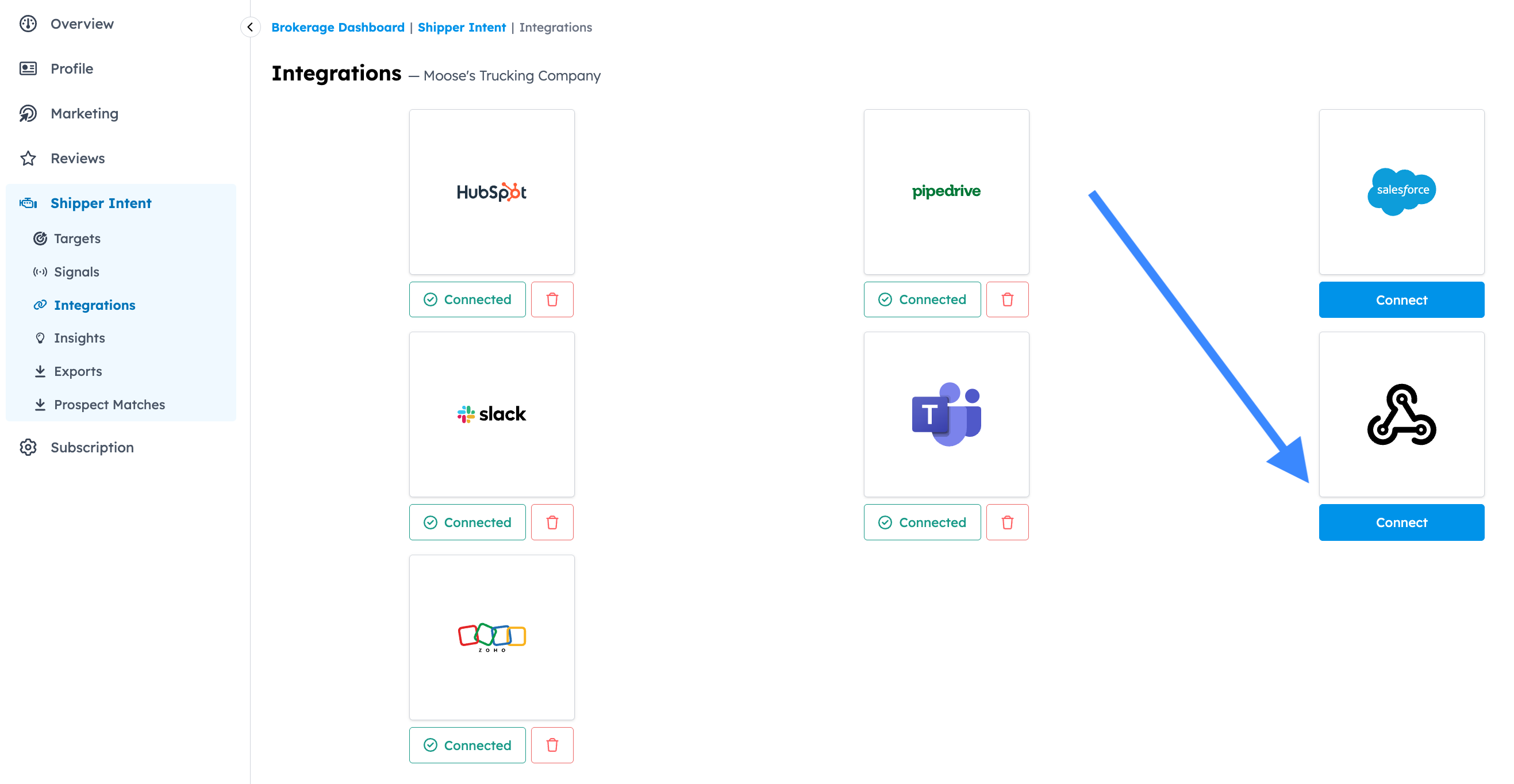
Go to your CarrierSource profile dashboard and access Shipper Intent → Integrations.
-
Click Connect in the Webhooks tile.
Select the feed(s) you want to send to your Webhook
-
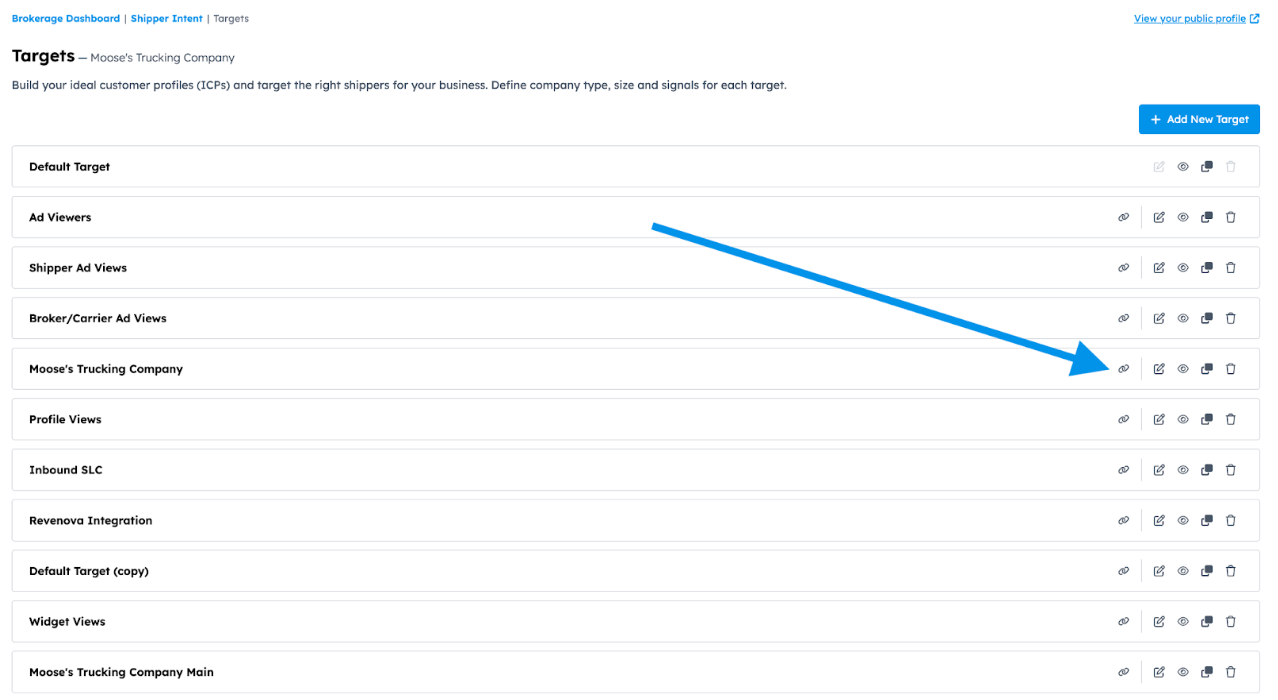
Go to your CarrierSource profile dashboard and access Shipper Intent → Targets.
-
Click the Integrations symbol in the feed you want to connect.
-
Select Webhooks as the tool you want to connect.
-
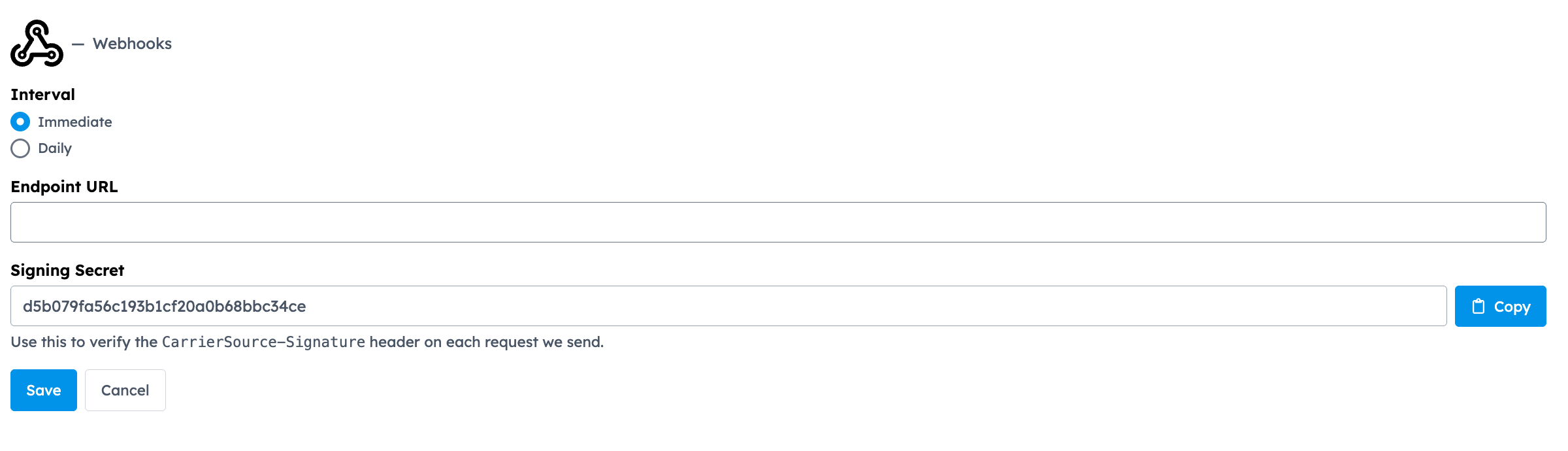
Select at what interval you want to receive signals. If you select Daily, you’ll receive all signals that came through the previous 24 hours at 12AM CST. If you select Immediate, you’ll receive signals in real-time.
-
Enter the Endpoint URL where you want signals delivered (for example, https://api.yourcompany.com/carriersource/webhook).
-
Copy the Signing secret that CarrierSource generates for this webhook. You'll use it to verify that incoming requests are genuinely from CarrierSource. Store it somewhere secure. You won't be able to view it again after leaving this screen.
-
Click Save.
-
Use the Send a Sample Notification section to trigger a sample delivery. Confirm your endpoint received the request and returned a
2xxresponse.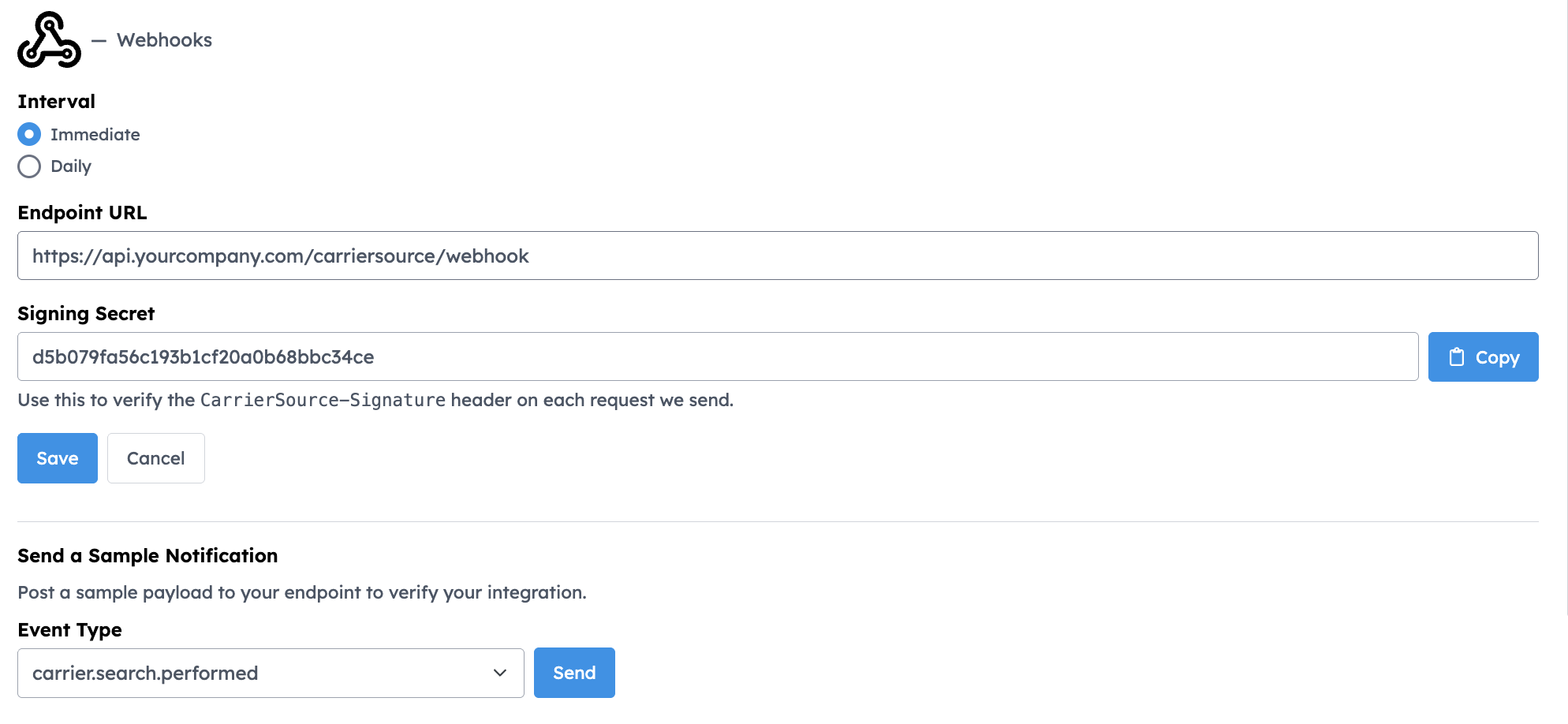
Securing your Webhook
Every event sent to your webhook endpoint will contain a CarrierSource-Signature header that you can use to verify the origin of the request. CarrierSource uses the same signing algorithm as Stripe to generate the signature header. Therefore, you may use any of the official Stripe client libraries to verify the webhook signature.
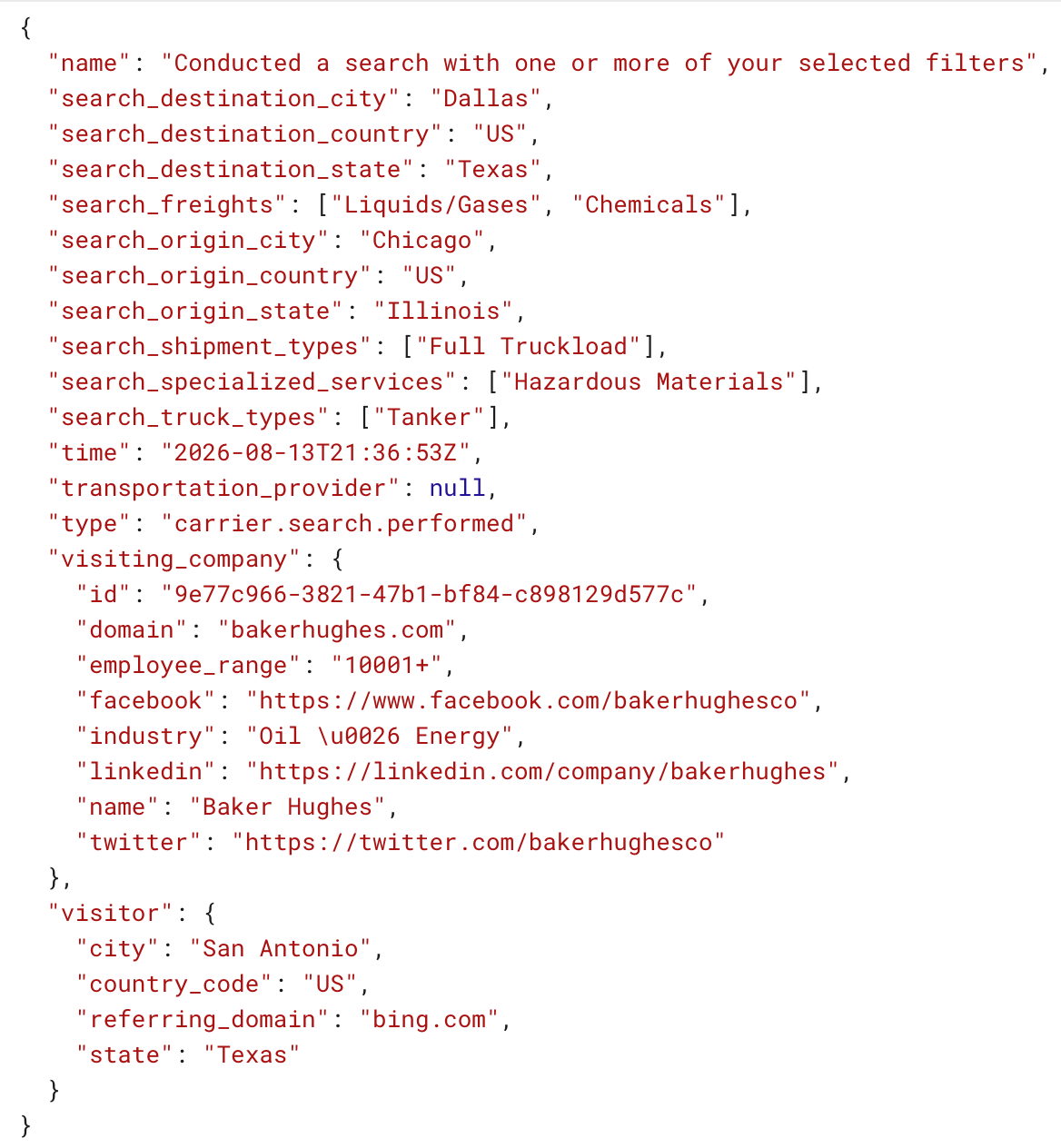
Payload Format
Each signal is delivered as a JSON object in the request body.
Responding to Webhook Deliveries
Your endpoint should return a 2xx status code as soon as it has received and stored the event. Do the minimum work needed to acknowledge the request, and defer any heavy processing to a background job — this keeps deliveries fast and avoids timeouts.
If your endpoint returns a non-2xx status or fails to respond, CarrierSource will treat the delivery as failed.
Conclusion
The CarrierSource + Webhooks integration gives your organization real-time, programmatic access to shipper search behavior. By delivering Shipper Intent Data signals directly to your own systems as they happen, you can automate outreach, enrich records, and build custom workflows around live intent.
Reach out to our team if you'd like help setting it up!
Updated 2 months ago